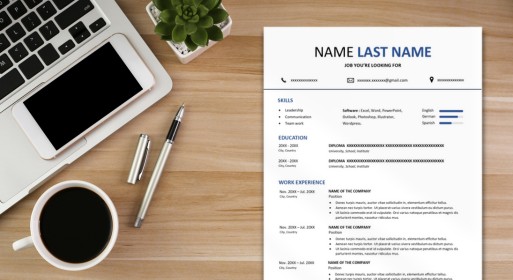
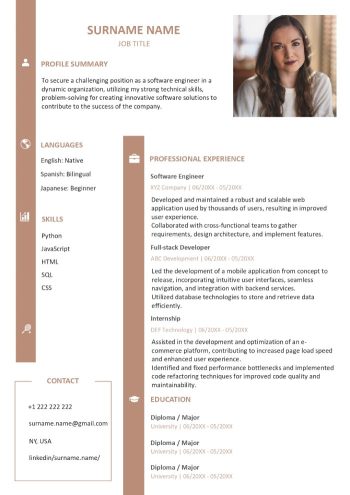
In today’s competitive job market, a well-crafted resume is your ticket to standing out from the crowd. Our Microsoft Word resume template makes the process easier, but knowing how to maximize its potential is key. Let’s explore some essential tips for creating an effective Microsoft Word resume.
Tips for Choosing the Right Sections
When crafting your Microsoft Word resume template sample, consider the following tips for selecting the right sections:
- Clear Contact Information: Ensure your name, phone number, and professional email are prominently displayed.
- Objective or Summary: Craft a concise statement summarizing your career goals or highlighting key qualifications.
- Work Experience: List your relevant work history in reverse chronological order, emphasizing achievements and responsibilities.
- Education: Include details about your educational background, such as degrees earned and institutions attended.
- Skills Section: Showcase your relevant skills, both technical and soft, to grab the recruiter’s attention.
- Achievements and Awards: Highlight any notable accomplishments or recognitions in a separate section.
Recommended sections
- Job Title
- Contact info
- Profile Summary
- Experience
- Education
- Skills
- Languages
Optional sections
- Hobbies and Interests
- References
Also read: 10 Resume Sections to Include
The Versatility of Microsoft Word
In the realm of crafting the perfect curriculum vitae (CV), Microsoft Word stands out as the undisputed champion. Let’s delve into the reasons why Microsoft Word is hailed as the best tool for editing CVs and explore the features that elevate the CV-editing experience to new heights.
- User-Friendly Interface: Microsoft Word offers an intuitive and easy-to-navigate interface, making it accessible to users of all skill levels.
- Customization at Your Fingertips: The flexibility of Word allows for unparalleled customization. Tailor your CV to match your personal style and professional branding.
- Sectional Organization: The ability to create and organize sections effortlessly is a standout feature. From work experience and education to skills and achievements, Word provides structured templates that streamline the CV-building process.
- Real-Time Editing: Collaborate with ease by leveraging Word’s real-time editing capabilities. Whether you’re working with a career advisor or seeking input from peers, the collaborative features ensure a smooth editing workflow.
- Spell Check and Grammar Assistance: Eliminate the risk of typos and grammatical errors with Word’s built-in spell check and grammar assistance. Present a polished CV that reflects your attention to detail.
- Dynamic Content Management: Word excels in managing dynamic content. Easily update your CV as your career progresses, ensuring that your document is always reflective of your latest accomplishments.
Microsoft Word Resume Template FAQs
What is the Best Resume Format for 2024?
The best resume format for 2024 largely depends on your industry and personal preferences. However, the chronological format, which highlights your work experience in reverse order, remains a popular and effective choice. It allows recruiters to quickly assess your career progression.
Is it OK to Use a Word Resume Template?
Absolutely! Microsoft Word resume templates offer a convenient starting point for creating a professional and visually appealing resume. They are easy to use, customizable, and provide a structured format. However, it’s essential to personalize the template to reflect your unique qualifications and experiences.