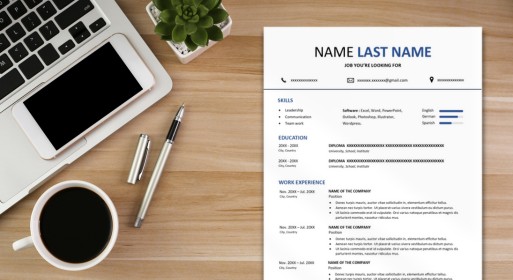
Crafting a compelling creative resume template in Google Docs is more than just listing your skills and experiences—it’s about making a memorable impression that sets you apart from the competition. In today’s competitive job market, employers are inundated with countless resumes, making it essential to create a document that not only showcases your qualifications but also grabs attention and leaves a lasting impact. That’s where creativity and strategic thinking come into play.
In this guide, we’ll explore three key strategies to polish and refine your creative resume template in Google Docs, ensuring that it stands out in a sea of applicants. From incorporating visual elements to using color strategically and highlighting achievements, these tips will help elevate your creative resume in google docs to new heights of professionalism and effectiveness:
1. Incorporate visual elements
Make your creative resume visually appealing by integrating relevant graphics or icons. Visual elements such as icons for skills or logos of previous employers can enhance the overall design and make your resume stand out. Just ensure that the visuals complement your content and do not overwhelm the page.
2. Use color to enhance your creative resume template in Google Docs
Strategic use of color can help draw attention to important sections or highlights within your resume. Consider incorporating a subtle color scheme that reflects your personal brand or industry aesthetic. However, ensure that the colors remain professional and do not detract from the readability of the text.
3. Highlight achievements and impact
Instead of simply listing responsibilities, focus on highlighting your achievements and the impact you’ve made in previous roles. Use quantifiable metrics or specific examples to demonstrate your contributions and value to potential employers. This helps recruiters understand the tangible results you’ve achieved and sets you apart from other candidates.
4. Embrace creative typography in your creative resume template Google Docs
- Be consistent with font choices throughout your document to maintain cohesiveness, but don’t be afraid to use variations in font size, weight, and style to create hierarchy and visual interest.
- Experiment with different fonts and typography styles to add personality to your resume while maintaining readability.
- Choose fonts that align with the tone and vibe you want to convey, whether it’s modern and sleek or traditional and elegant.
5. Customize sections for relevance and impact
Tailor each section of your resume to highlight the most relevant information for the job you’re applying for. Consider rearranging sections or adding subsections to prioritize skills or experiences that directly align with the job description.
Additionally, include keywords and buzzwords relevant to your industry to ensure your resume passes through applicant tracking systems (ATS) and reaches human eyes. By customizing your resume for each application, you demonstrate a proactive approach and show that you’re genuinely interested in the specific role.
Optimize your job application with a professionally designed ATS-friendly resume format. Make sure your skills and experience get through ATS filters!
Also read: Strengths to Put on a Resume