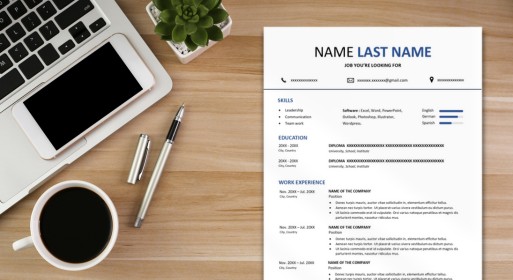
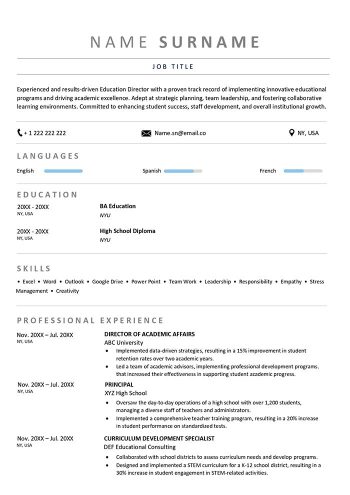
Welcome to the world of easy and simple resume templates! If you’re on a quest for a CV design resume sample that speaks volumes about your skills and qualifications, you’ve come to the right place. In this guide, we’ll walk you through creating a standout resume with a simple format that showcases your strengths. Let’s dive in!
Tips for Choosing the Right Sections for Your Easy Resume Template
Crafting a simple resume template is a crucial step in landing your dream job. To ensure your resume stands out, it’s essential to choose the right sections that highlight your strengths and make a lasting impression on employers. Here are some valuable tips to guide you while editing your simple resume template:
- Relevance is Key: Tailor your resume to the job you’re applying for. Ensure that each section contributes to showcasing your suitability for the position.
- Prioritize Information: Arrange sections in order of importance. Your name, contact information, and professional summary should be prominent and easy to find.
- Keep it Concise: Be mindful of the length. A good resume is typically one page, so focus on including only the most relevant and impactful information.
- Use Action Verbs: Begin bullet points with strong action verbs to describe your achievements and responsibilities. This creates a dynamic and engaging resume.
- Consistent Formatting: Maintain a clean and consistent format throughout. Use a readable font, consistent bullet points, and a balanced layout.
- Quantify Achievements: Where possible, include quantifiable metrics to highlight the impact of your accomplishments. This adds credibility to your claims.
Also read: Resume Objective Examples for Job Seekers (How-To Guide)
Crafting Your Easy and Simple Resume Template
- Start with the Basics: Begin your easy resume by including essential information such as your name, contact details, and a professional summary. Make sure this summary captures your key skills and what makes you a unique candidate.
- Highlight Your Experience: In the “Work Experience” section, list your previous roles in reverse chronological order. Use action verbs and be specific about your accomplishments. This is where a well-crafted CV design can make your resume visually appealing and easy to read.
- Showcase Your Skills: Create a dedicated section for your skills. Include both technical and soft skills relevant to the job you’re applying for. Use the “CV design resume sample” to make this section visually appealing and organized.
- Education Details: In the “Education” section, mention your academic qualifications. Include the name of the institution, degree earned, and graduation date. If you’re a recent graduate, you can also highlight relevant coursework or projects.
Easy Resume Template FAQs
What is the easiest resume format?
There isn’t a one-size-fits-all answer, as the ideal format depends on your specific circumstances and the industry you’re applying to. However, a simple and clean chronological format is often considered easy to follow. It lists your work experience in reverse chronological order, starting with your most recent job.
Do simple resumes work?
Absolutely! Simple resumes are effective because they prioritize clarity and readability. Hiring managers appreciate easy-to-digest information. A straightforward layout, clear headings, and concise bullet points showcasing your achievements can make a powerful impact.