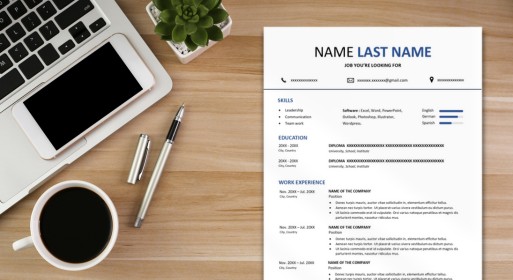
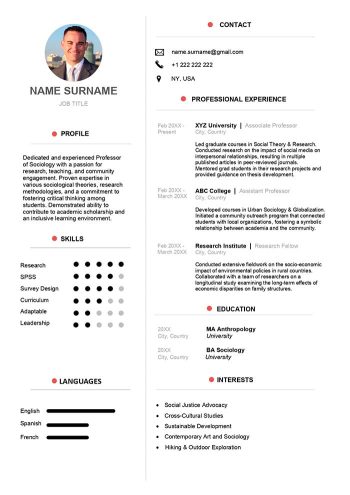
Our Google Docs free resume layout provides a convenient and cost-effective solution for crafting professional resumes with its wide range of free templates and user-friendly interface.
Whether you’re a seasoned professional or a first-time job seeker, using Google Docs for resume creation can help you stand out in today’s competitive job market.
3 Essential Tips for Enhancing Your Google Docs Resume in 2024
Creating a standout resume on Google Docs doesn’t have to be complicated. Here are three indispensable tips to help you refine your resume for maximum impact:
1. Use Tables for Clear Organization
Employing tables in your Google Docs resume layout is an effective way to neatly structure your information. By segmenting your content into distinct sections, recruiters can easily navigate through your resume. To add a table, simply click on “Insert,” then select “Table,” and specify the desired number of columns and rows.
2. Customize Font Size and Color
Enhance the visual appeal of your resume by experimenting with font sizes and colors. A well-designed resume immediately captures the reader’s attention. Consider using different fonts for your name and section titles to create a professional and dynamic look.
3. Optimize Line Spacing for Clarity
Maintain readability by incorporating adequate line spacing throughout your resume. Sufficient spacing between lines ensures that your information is comprehensible and visually appealing. This allows recruiters to digest your content effortlessly.
Free Resume Layout in Google Docs FAQs
Does Gmail Have a Resume Template?
While Gmail doesn’t offer resume templates directly within its interface, you can access Google Docs, which is integrated with your Gmail account. Simply navigate to Google Docs and explore the available resume templates.
Where Can I Get Free Google Docs Templates?
Google Docs offers a plethora of free templates, including resume templates, which you can access by opening a new document and clicking on the “Template Gallery” option. From there, you can search for “resume” to find various free options.
Alternatively, you can also download the Google Docs resume template we have provided for you above. Pre-designed by our resume experts, this template will surely impress future recruiters and get you the interview you long for.
Which Resume Template is Best on Google Docs?
The “best” resume template depends on your personal preference and the specific requirements of the job you’re applying for. However, some popular choices among users include the “Swiss” and “Serif” templates for their clean and professional designs.
How Do I Format a Google Doc Like a Resume?
To format a Google Doc like a resume, you can start with a pre-designed template or customize your document with appropriate sections such as contact information, work experience, education, skills, and references. Use headings and bullet points to organize information clearly.