Many people make the mistake of writing their resume and sending it out on the same day. This means that they jot all their information down without thinking twice about how it’s presented. If this is you, you are not going about this in the right way.
Ideally, you should take your time when preparing your resume. Come back to it once everyday for at least a week until you have a CV that clearly highlights your professional achievements, using sections and even color coding to break it up to make it that much easier to read.
You should be able to read it and want to hire yourself because it’s that good. Get ready to make some major and effective changes to your free resume template in Word!
In this guide you will find:
- A free job-winning resume template in Word.
- Writing tips to keep in mind while editing your free template.
- The best career advice you can find on the internet!
Step-by-Step Guide for Making a Resume for a Job

Step 1
Photo
Including a picture on your resume has been debated for a long time. But in places like the US or the UK, it’s generally not recommended.
However, if you’re applying to countries in Latin America or Spain, adding a photo on your resume is often expected. It can help the hiring managers to see who you are.
Remember, different places have different rules, so it’s a good idea to check what’s common in the country where you’re applying.
Follow the tips below if you have decided on adding a photo while making the resume for the job you are applying for.
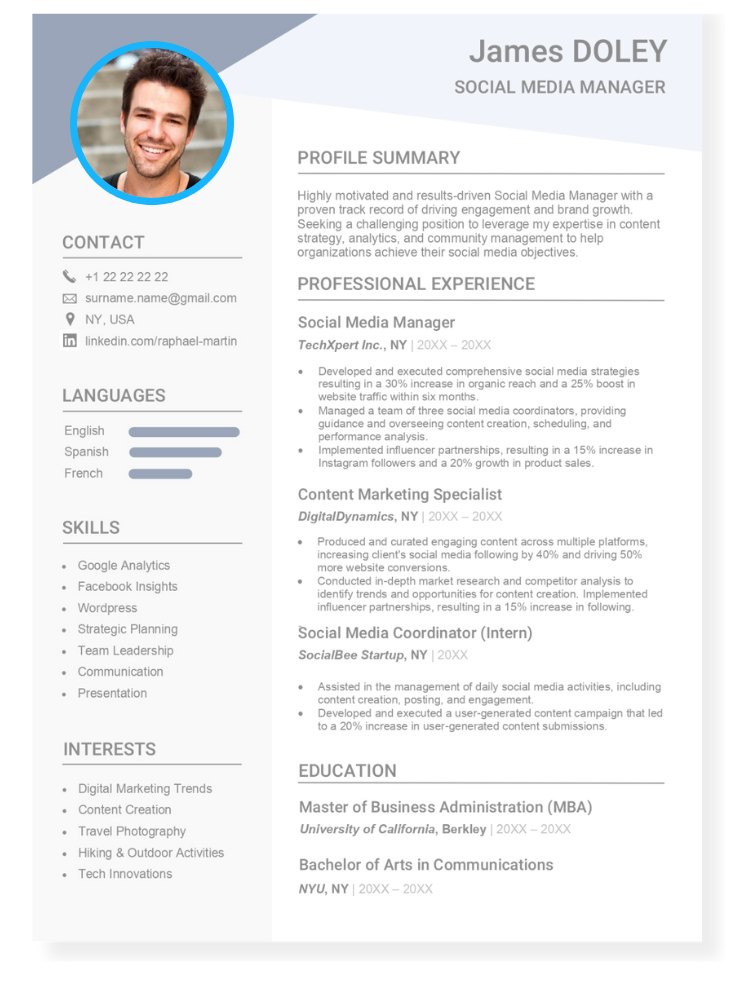
✓ What to do when taking a good photo:
- Ensure your picture is captured with a high-resolution camera to maintain image clarity and professionalism.
- Follow a standard and professional format for your resume photo, ensuring it complements the overall document.
- Capture a clear and well-lit photo that prominently features your entire face, allowing for a better representation of your professional appearance.
- Wear professional attire with neutral colors, presenting a polished and business-appropriate look.
- Choose a clean and simple background to keep the focus on you, avoiding distractions and creating a professional atmosphere.
✗ What to avoid when taking a good photo:
- Do not use photos that are blurry or lack focus, as they can convey a lack of professionalism.
- Steer clear of using old photos that no longer accurately represent your current appearance or style.
- Avoid taking photos at extreme angles or unconventional perspectives, as they can distort facial features and create an unprofessional look.
- Do not use excessive filters or heavy editing on your resume photo, as it may alter your appearance and compromise authenticity.
- Avoid overly dramatic expressions or poses that may distract from your qualifications; aim for a natural and neutral look.
Step 2
Job Title
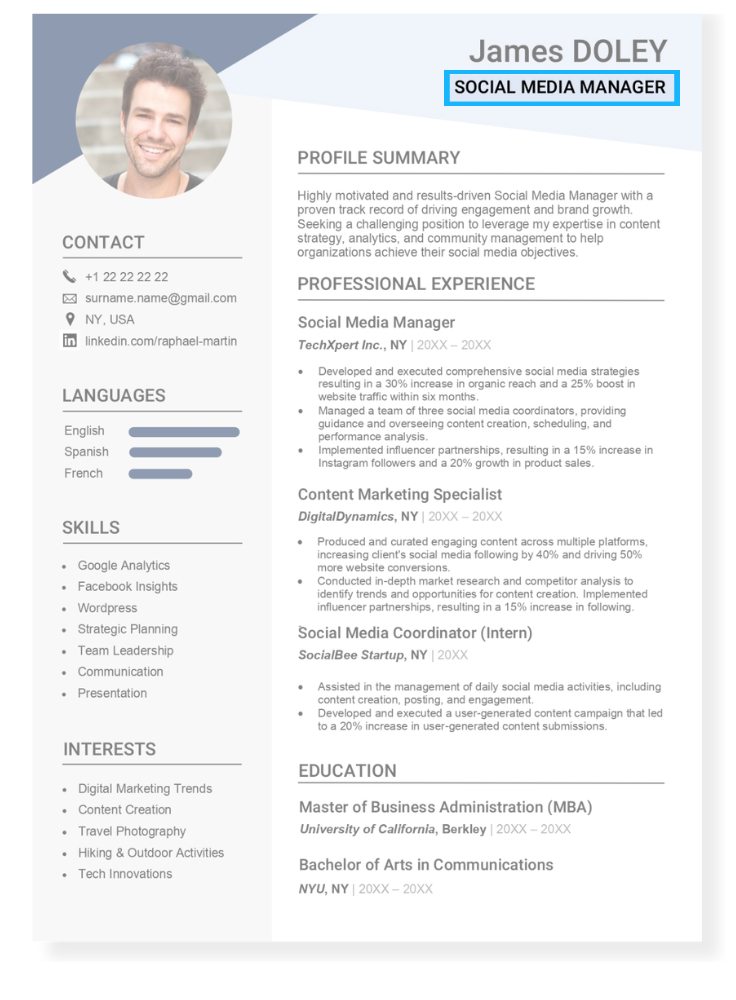
The section under your name, often in a smaller font size, is where you specify the job title you are seeking.
This title may be reflective of your experience, academic qualifications, or career goals.
Importantly, ensure that the job title aligns with the specific position for which you are applying.
This targeted approach helps convey a clear and relevant professional identity, increasing the chances of your resume catching the recruiter’s eye.
It provides a concise snapshot of your career aspirations and aligning yourself with the specific role you are pursuing.
✓ What to do in your job title:
- Include a keyword from the job description if the position is not clearly stated.
- Write a job title that best fits your skills, education or current career goal.
- Mention your specialty, especially if the position in question exists in many industries.
✗ What not to do in your job title:
- Exclude this information
- Write in small letters.
- Include symbols like commas or colons.
Examples of job titles for a resume
- Senior Software Engineer
- Marketing Coordinator
- Human Resources Manager
- Financial Analyst
Step 3
Contact Information
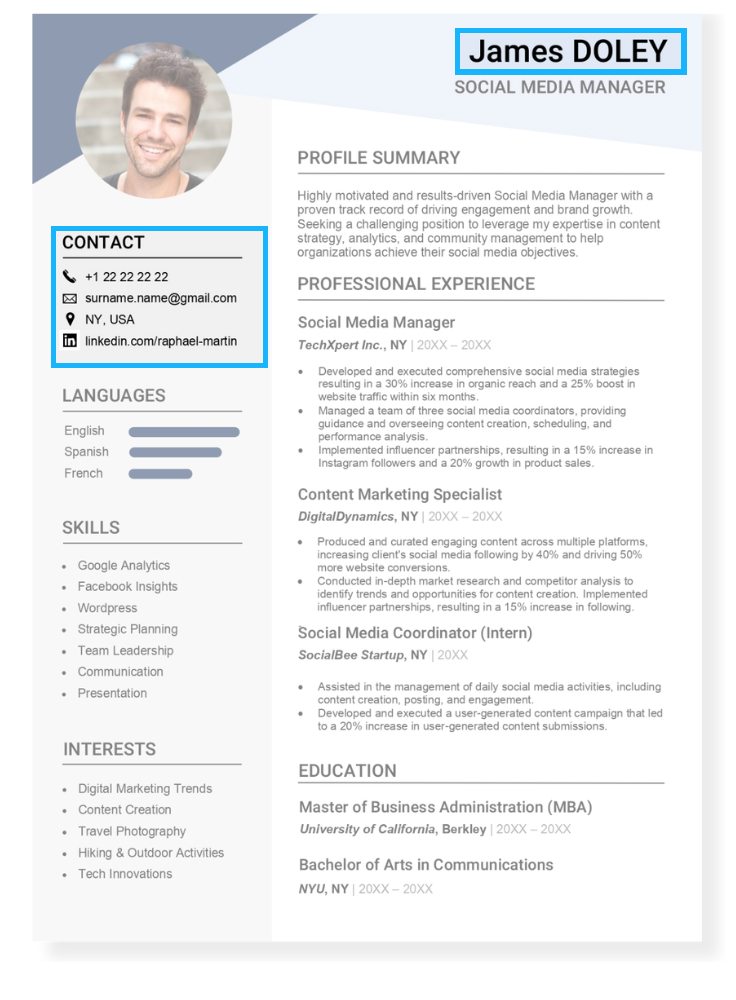
This information goes in the first section of the resume, preferably under your photo (if you have decided to add one to your resume).
It should include your name and contact so that your recruiter can reach out to you in the case of an interview call. Usually, this is done through email or a phone call to your mobile.
Adding icons on the side of each contact method can make this section look more attractive and will draw attention to it.
Consistency in formatting will contribute to a visually appealing and organized document.
Keep the tips below in mind as you edit one of our free resume examples in Word.
✓ What to include in your contact information:
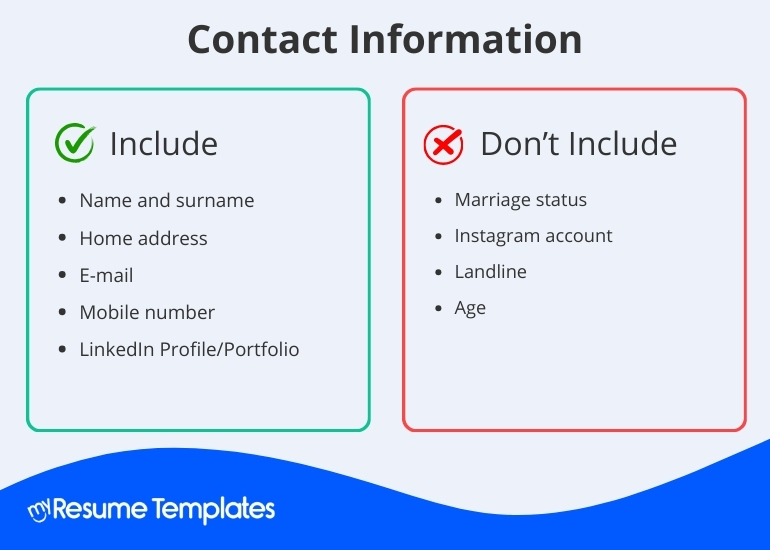
- Place your full name prominently at the top of your resume in a clear and legible font.
- Include your city and state (or city and country) to provide a general location without the need for a specific street address.
- Use a professional email address that includes your name, avoiding nicknames or overly complex combinations.
- Provide a mobile number with a professional voicemail message if necessary, ensuring it’s easily accessible.
- Include a link to your LinkedIn profile or an online portfolio if applicable, showcasing your professional background and accomplishments.
✗ What not to include in your contact information:
- Do not include your marital status on your resume, as it is generally considered irrelevant and can lead to potential biases.
- Avoid providing links to personal Instagram accounts or other unrelated social media unless they are professionally focused and relevant to the job.
- Skip adding a landline number; mobile numbers are more common and accessible for communication.
- Omit your age from your resume, as it is typically not necessary and may lead to age-based discrimination.
Step 4
Career Objective
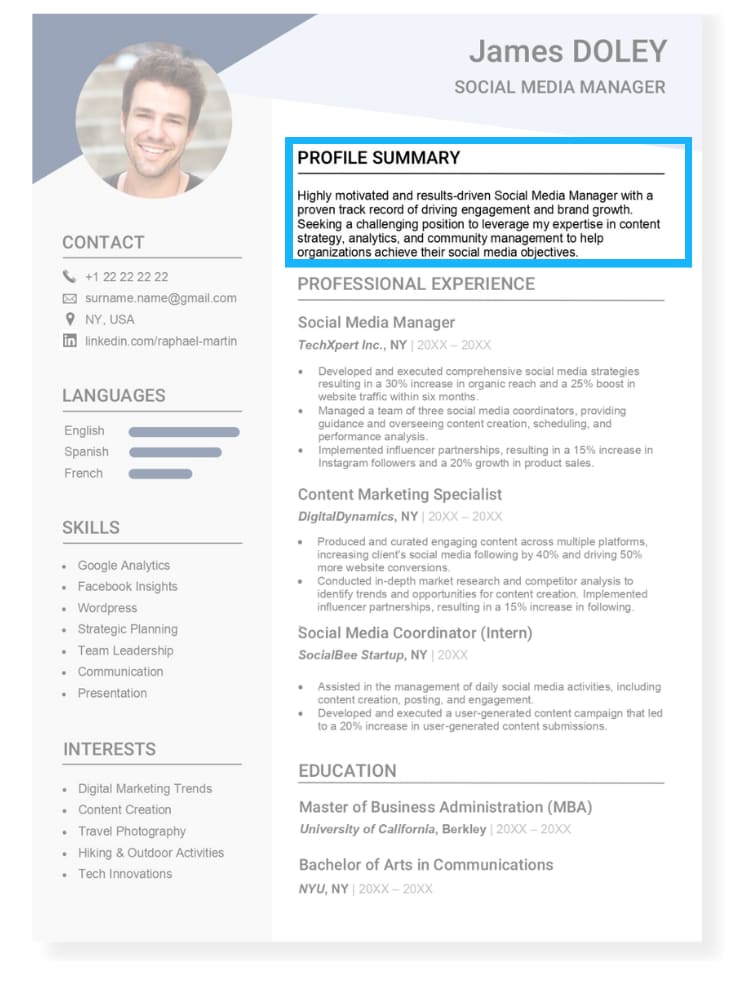
Once you have provided your personal information, you can compose a brief paragraph where you describe your professional profile in as much detail as possible.
Outline your professional objectives and articulate why you are the ideal candidate for the position.
Feel free to reference your professional background and skills. This serves as a summary of your profile designed to highlight your strengths.
While writing a headline or introduction at the top of your CV is not mandatory, it is highly recommended.
✓ What to include in your career objective:
- Mention your years of experience.
- Mention if you have worked in international or high profile companies.
- Add characteristics that distinguish you from other candidates.
- Focus on your achievements, not on daily tasks.
- Try to start with a verb when mentioning any of your objectives.
- Each sentence should be around 20-25 words.
- The entire text should be no longer than 80 words.
✗ What not to include in your career objective:
- Never start with personal pronouns. For example, “I am an Architect and I have 6 years of experience…” Instead start with some adjectives that describe your working style, profession, and years of experience. “Entrepreneurial architect with 6 years of experience..”
- Avoid including egocentric, exaggerated phrases or phrases that do not add value to your profile.
- Avoid using run-on sentences. This section needs to be clear and concise as it is going to be the first thing your recruiter reads.
Examples of career objectives for a resume
- ¨Dedicated law student with a strong academic background and hands-on experience in legal research and writing. Proven ability to analyze complex legal issues and communicate effectively. Interned at a reputable law firm, gaining valuable insights into litigation processes and client representation. Adept at conducting legal analyses, drafting legal documents, and providing support in case preparation.¨
- ¨Highly motivated high school student with a passion for learning and a strong work ethic. Eager to gain real-world experience and develop skills in a professional setting. Possesses excellent communication and teamwork abilities honed through extracurricular activities.¨
- ¨Results-driven marketing junior with a proven track record of creating and implementing successful marketing strategies. Demonstrated proficiency in digital marketing, social media management, and content creation. Successfully executed multiple campaigns that increased brand visibility and engagement.¨
Learn how to write a good objective statement for your resume.
Step 5
Professional Experience
Your professional history is at the heart of every good resume. Not including this would make your CV obsolete.
This is the only section that matters to any job recruiter.
Here is where you detail your past work experiences, emphasizing achievements and key skills acquired during those periods.
Feel free to highlight specific projects or responsibilities that showcase your expertise and demonstrate your suitability for the desired position.
Follow the example and tips below as you work on writing your professional history in your resume.
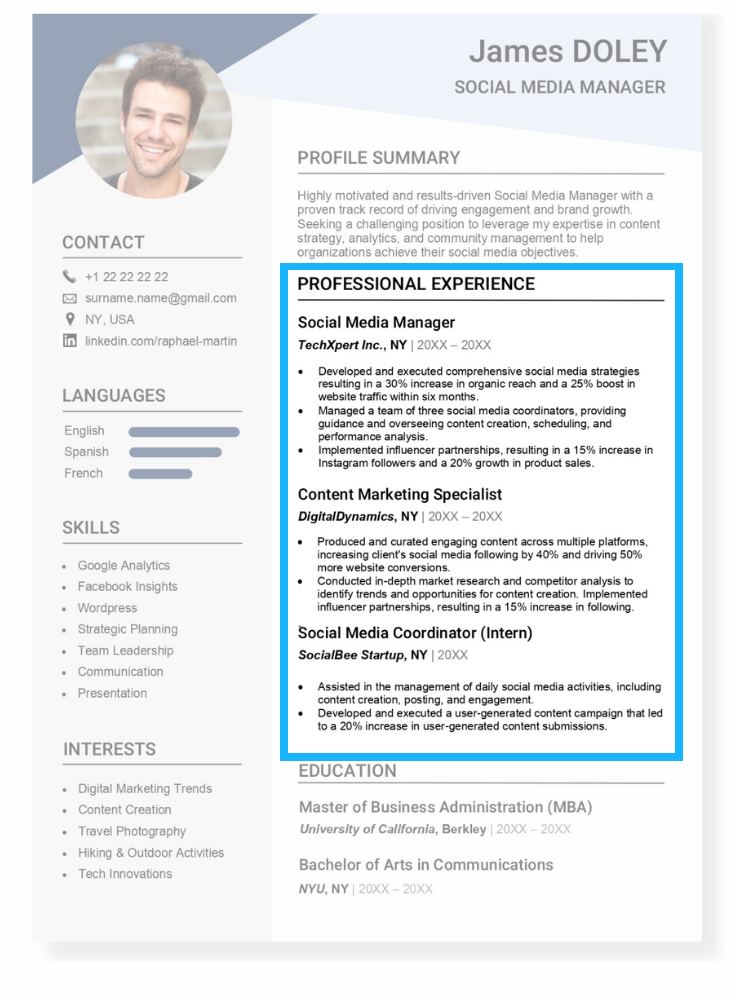
✓ What to do when filling out your professional experience:
- Start in reverse chronological order where the last or current job comes first.
- Write the start and end date of your work experience, and if you are still there, specify it with the word “present” or “current.”
- Company name
- Include previous job title.
- The city and country where the company is based.
- At least 3 bullet points in the active voice indicating your achievements.
- Include concrete data.
✗ What not to do when filling out your professional experience:
- Never lie in this section. Yes you can embellish a little bit here and there, but ultimately if you imply that you have achieved something that isn’t real, you will be put in an awkward position during the interview, or at the workplace.
Example of a good experience section on a resume
Marketing Coordinator, SwiftTech Solutions
June 20XX – August 20XX
- Developed and executed a successful social media campaign, resulting in a 20% increase in brand visibility and engagement.
- Coordinated and managed the production of marketing materials for three major product launches, ensuring consistent branding and messaging.
- Implemented a customer feedback system, leading to a 15% improvement in overall customer satisfaction.
Research Analyst, Insight Research Institute
January 20XX – May 20XX
- Conducted in-depth market research on emerging trends in the technology sector, providing critical insights for strategic decision-making.
- Authored and published two research papers in reputable journals, contributing to the institute’s recognition in the field.
- Collaborated with cross-functional teams to analyze survey data, resulting in the development of targeted marketing strategies.
Customer Experience Specialist, ServiceFirst Solutions
September 20XX – December 20XX
- Implemented a customer feedback system, leading to a 25% increase in customer satisfaction scores within six months.
- Developed and conducted training sessions for customer service representatives, resulting in a 30% decrease in customer complaints.
- Streamlined communication channels between departments, enhancing overall customer experience and reducing resolution times by 20%.
Step 6
Education
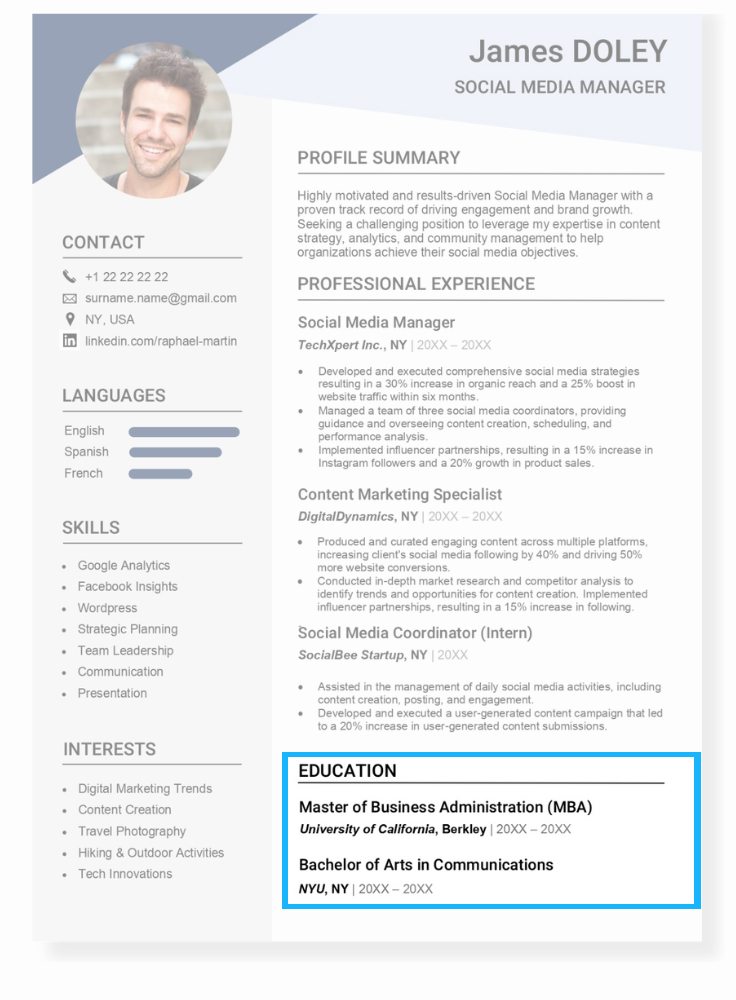
In the education section of your CV, outline the various schools, colleges, universities, or other educational programs you’ve attended.
Include details about your degrees, courses, and any certifications you’ve earned.
If your professional experience is limited, feel free to delve into the specifics of your education, highlighting achievements like honors, leadership roles, involvement in activities, and the subjects you focused on.
For those with significant work experience, provide the key information.
Here are some tips to help you structure the “Education” section of your CV:
✓ What to do when filling out your education history:
- Start with your highest degree.
- Include the last three levels of study.
- Mention the dates you earned your degree.
✗ What not to do when filling out your education history:
- Avoid including expired certificates that are no longer valid. It is better to update and include diplomas that can add weight to your profile and not devalue it. You can add language courses, for example, to demonstrate how you have stayed up to date.
Example of how to write a good education section for a resume
BS in Business Administration, Horizon University
September 20XX – May 20XX
- Graduated with honors (Summa Cum Laude), showcasing academic excellence.
- Completed a capstone project on market analysis, receiving commendation from the faculty.
- Actively participated in the business student association, enhancing leadership and teamwork skills.
Associate Degree in Computer Science, TechLink Community College
August 20XX – June 20XX
- Excelled in programming courses, earning recognition for outstanding coding projects.
- Participated in a team-based software development competition, securing the second position.
- Completed an internship with a local tech company, gaining practical experience in software development.
Step 7
Skills
Skills refer to the combination of soft skills and hard skills that are considered valuable to the job you are applying for.
Soft skills are what usually are referred to as personal skills that you have naturally developed while interacting with others throughout your lifetime.
Basically since you were born.
Hard skills are the technical skills you have acquired during your education or professional life.
Both are necessary to add to a resume as recruiters are often for the lookout for a well-rounded candidate who can manage daily tasks and work within a team.


✓ What to do when including skills:
- Match the skills to the type of job you are applying for.
- Use an equal ratio of soft/hard skills. Both are necessary for painting the picture of an emotionally intelligent and hardworking professional.
✗ What not to do when including skills:
- Include childhood development skills like motor skills.
- Use long sentences. One-worded bullet points work best.
Example of skills to add to a resume
- Coding
- Marketing
- CRM
- CMS
- Video editing
- Communication
- Leadership
- Customer service
- Critical thinking
- Flexibility
Check out this blog post for more ideas of good skills to put on a resume.
Step 8
Languages
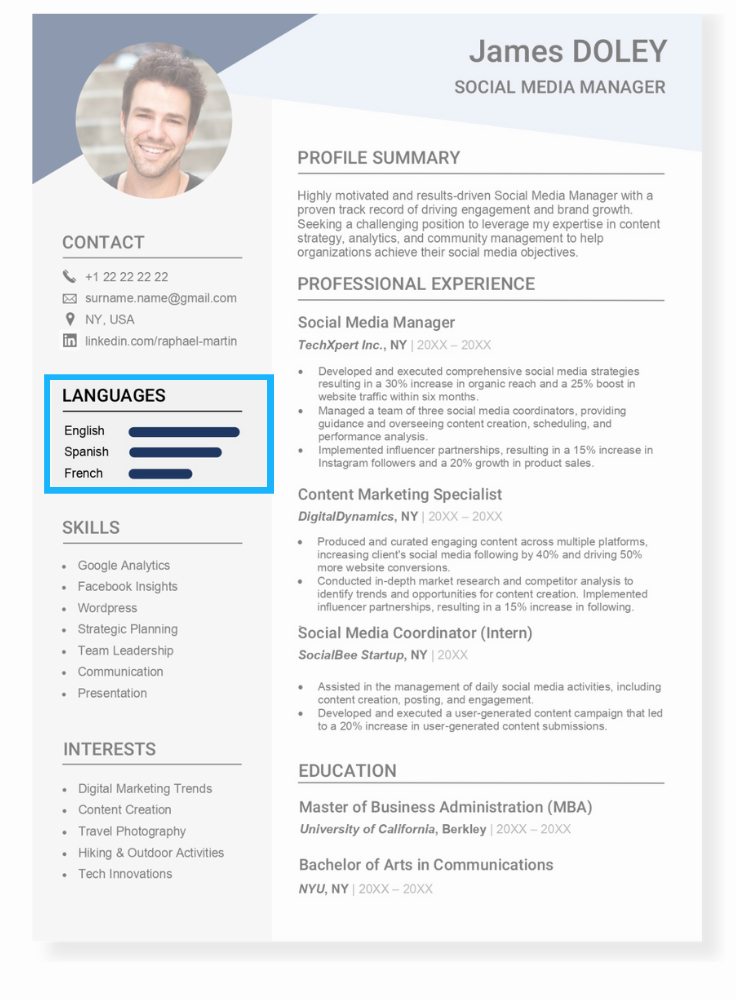
To connect with people worldwide, it’s become almost imperative to be able to speak more than one language.
In today’s globalized world, knowing multiple languages is like a cool superpower.
So, when you’re telling people about yourself on your resume mention the languages you know and how good you are at using them.
You should mention which languages you can speak, read, and write.
If you’re really good at French or Spanish, for example, don’t be afraid to mention it!
It’s like saying, “Hey, I’m not just good at English; I can rock it in French too!”
So, go ahead and let everyone know about your language talents on your resume!
✓ What to do when listing languages:
- State which languages you speak.
- Indicate the certification level (A2,B2,C1,C2). Use online tests to help you measure your level if you have not taken any certification exams.
✗ What not to do when listing languages:
- You shouldn’t lie about your fluency level in a foreign language. It may seem obvious, but it’s worth mentioning that you can be exposed from minute one of your interview.
- If you do not know how to communicate in another language or if you consider that your level is too low to include it, you can fill in this section with other information, such as your interests, hobbies or volunteer work.
Example of languages on a resume
- English: Native
- Spanish: Intermediate (B2)
- French: Beginner (A2)
Step 9
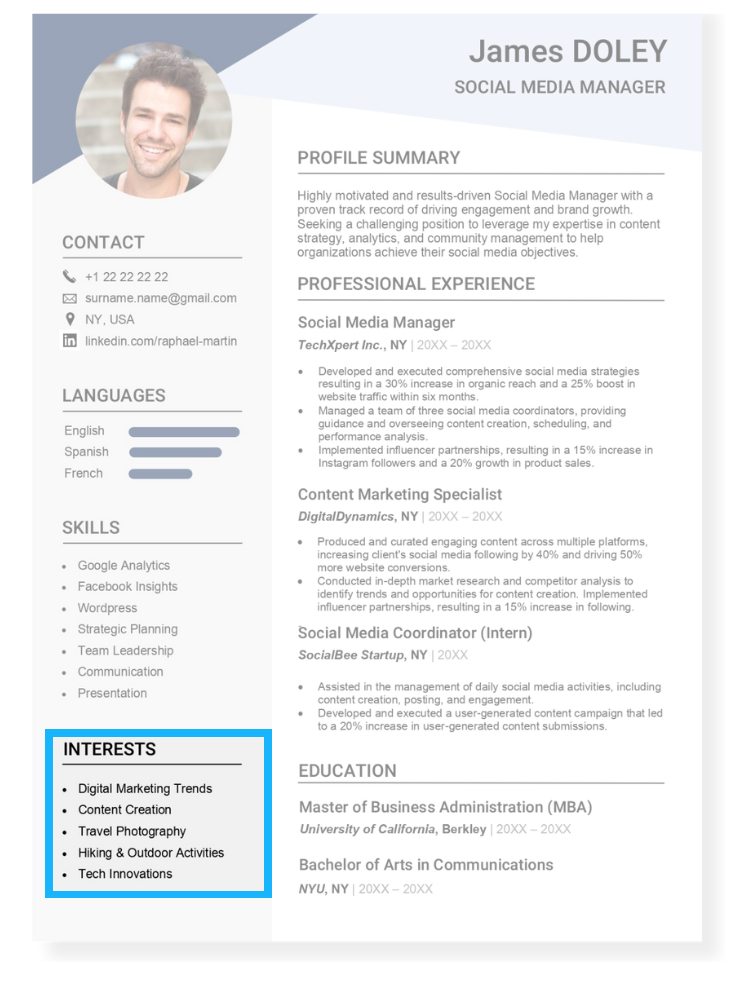
Interests
This section is slowly becoming obsolete as less and less people are including it on their resumes.
However, in this era of late capitalism, the need to express our individuality is stronger than ever.
Adding your hobbies and interests on a resume humanizes you in the eyes of a recruiter or employer.
It helps to be seen as an actual person with a real life instead of just another application number.
What is a Resume?
A resume is a document that highlights the main areas and experiences in your professional life.
A quality resume should reflect your work ethic as well as your personality to present a well-rounded image of yourself and capture the attention of the recruiter. It is your way of convincing your recruiter that you are worthy of the job, let alone an interview. The language used should be active, clear, and straightforward. It should also be sectioned in a manner that makes it for job recruiters to scan.
What Does a Good Resume Look Like in 2024?

The days of having a basic resume with unidentified sections are over. It’s 2024, and recruiters most likely have to process hundreds of resumes before reaching yours. If your information is up to date and portrayed clearly, you can be rest assured that an interview call will be right around the corner.
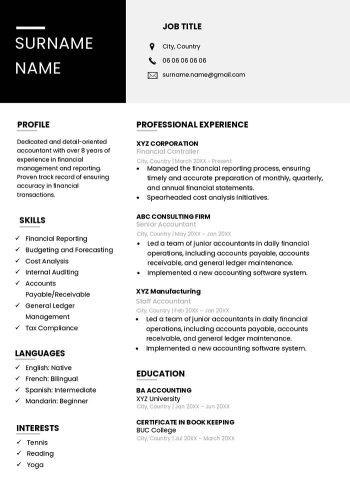
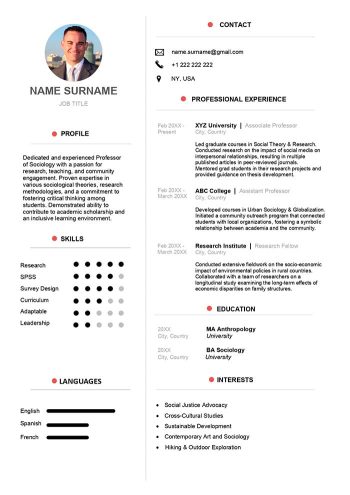
To do that, you should use a modern resume template featuring sections such as contact information, an objective, work experience, education, languages, skills and interests.
It’s also necessary to include your top achievements along with quantifiable metrics. It demonstrates to prospective employers that you have a track record of delivering results and will continue to do so.
What is the Difference Between a CV & Resume?
This is a very common question asked among job seekers, and for good reason. Is there a difference between the two? Research shows that although Europe and most countries use CV (Curriculum Vitae) and resume interchangeably, referring to the same 1-2 page document that summarizes your academic accomplishments and work experiences together, the US sees them differently. Below are the main differences between the two to keep in mind when applying to a job in the US or Europe:
- The CV is a 2-3 page document that focuses more on academic achievements, includes your experience, certifications, and publications. Those who are seeking to work in academia, applying for a Ph.D., as well as recent graduates are all most likely to send out a CV rather than a resume.
- A resume is a 1-2 page document with a summary of your work experience and background information that is only relevant to the job you are applying for.
Here, you can find over 100 free resume templates that you can download for free as a Word document and edit with your personal information without any hassle. Download your free CV Word template now!
What Format Should I Use to Make a Resume?
- Font type: Select a standard font that is easy to read, such as Cambria, Calibri, Arial, Times New Roman, or Helvetica. Avoid using cursive fonts.
- Font size: For the objective statement, professional experience and education sections ideal font size is 12, and for the section headings, 14.
- Line spacing: Use single line spacing.
- Length: Keep the resume length to one or two pages, and use bullet points to present your accomplishments and skills.
- Template format: Use A4 sized paper for jobs in the US and letter for Latin America.
- Final formatting: Once you have finished creating your resume, it is important that you export it in PDF format.
How Can I Make a Good Quality Resume?
- Search through our free Word resume example for the one you like the most. Make sure it fits your professional profile and download it.
- Brainstorm on scratch paper. This can be handwritten or in Word.
- Look for a photo where you look friendly without losing the professional touch.
- Gather all your necessary academic information, years of beginning and end of studies and name of the institutions.
- Look up your work history, start and end dates, and remember the tasks you were assigned, as well as the achievements you had in each position.
- Make a list of keywords that you would like to highlight in your resume.
- Think about skills and hobbies or extracurricular courses you could include to tell more about yourself.
- In a globalized world it is increasingly necessary for professionals to master more than one language. Include the ones you speak.
- Remember that the fewer words you use to describe an aspect of your profile, the greater the impact of the information on recruiters.
- Once you have everything clear, edit and fill in all this information in your resume.