Free ATS-Friendly Resume Templates
ATS-friendly resume templates built to pass applicant tracking system filters and fully editable in Word format. Download and customize your resume in minutes — ATS-ready and job-winning.
 100% FreeWord Format (.docx)No Registration Required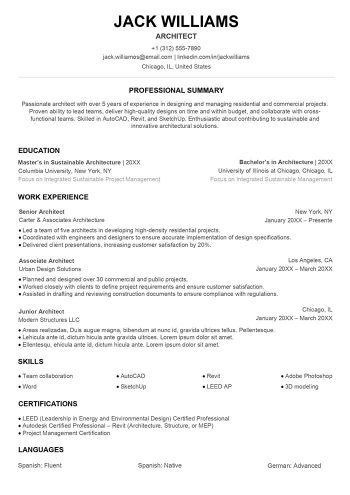
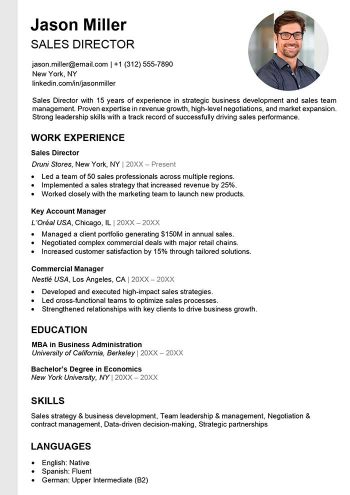

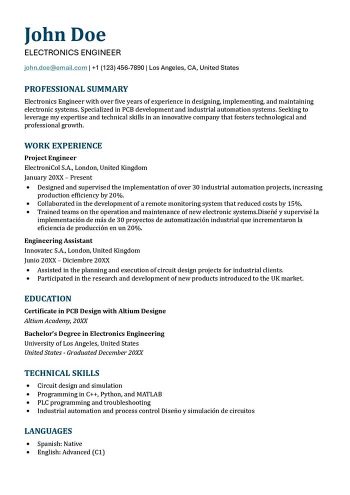
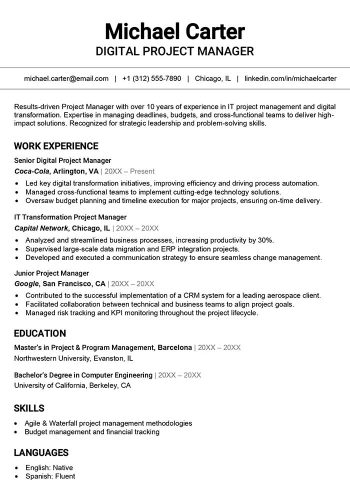
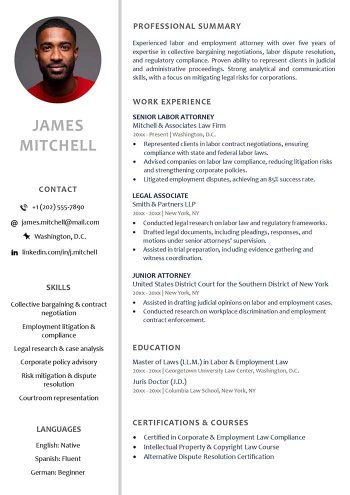
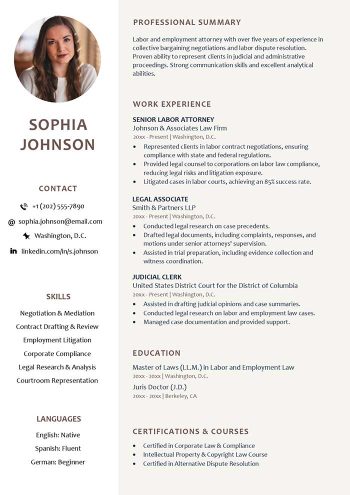
Explore more free resume downloads
What is an ATS Resume?
ATS Resume (Applicant Tracking System)
An ATS resume is crafted specifically to be scanned and evaluated by applicant tracking systems (ATS)—tools widely used by recruiters and employers. These systems analyze your resume’s keywords and structure to assess how well it aligns with a job posting.
Here’s how ATS software typically works:
- It gathers applications from job boards and recruitment platforms into one central hub.
- It sorts resumes based on algorithms and keywords, such as skills, experience, or specific qualifications.
- It streamlines responses and schedules interviews automatically.
Clearly, this pre-screening tool plays a vital role in hiring. That’s why creating an ATS-optimized resume is key to passing the initial filter and landing in front of hiring managers.
Why opt for an ATS-Friendly resume?
With recruiters increasingly relying on ATS software, an ATS-compliant resume ensures your application is accurately read, boosting your odds of advancing past the first round.
A clear structure paired with relevant keywords helps avoid rejection due to formatting glitches.

Benefits of ATS resume templates
1. Built for ATS readability
ATS resume templates are designed to work seamlessly with tracking systems. Their formatting, structure, and layout follow guidelines that ensure error-free processing.
2. Compatible with English and multiple languages
These templates integrate effortlessly with ATS software worldwide, accommodating English and other languages while aligning with recruiter requirements.
3. Simple to tailor for any Job
Thanks to a flexible, straightforward layout, you can quickly tweak these templates with job-specific keywords, adjusting skills, experience, or your professional summary to fit each role.
4. Keyword-ready for scanning
With a logical, hierarchical format, these templates showcase your skills and experience in a way that ATS algorithms can easily pick up, improving your chances of being shortlisted.
5. Sleek, professional look
Beyond ATS compatibility, these templates offer a modern, polished design. They blend technical efficiency with visual appeal to impress recruiters at a glance.
How to build an ATS optimized resume: recommended structure
For an ATS-compatible resume, simplicity and organization are key. The system needs to effortlessly spot and pull out critical details.
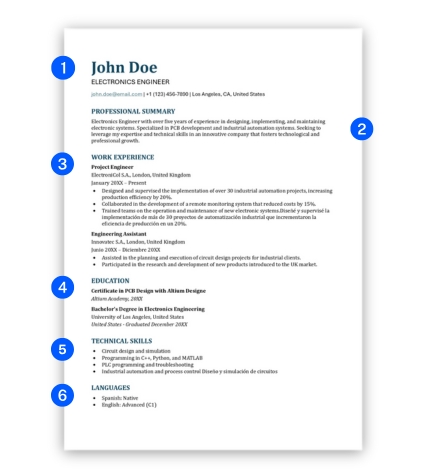
Here’s the ideal layout:
- Header
- Professional summary
- Work experience
- Education
- Skills
- Languages
Once you’ve chosen your ATS-friendly resume template, make sure you structure it effectively to maximize your chances of landing an interview. Check out our step-by-step guide on how to make a resume and create a job-winning application today!
Download our ATS-compatible resume format for free
In a job market dominated by automated hiring tools, an ATS-optimized resume is your ticket through the initial screening. Our free, professional templates are tailored to meet both recruiter expectations and ATS requirements, giving your application a standout edge.
Why choose our ATS resume formats?
Our templates offer:
- Free access for all job seekers.
- Full customization for any role.
- Smooth readability by ATS software.
- Word format for easy edits.
- Eye-catching, professional designs.
Blending technical precision with style, these pre-filled templates give you a leg up in the hiring game.
How to download an ATS resume template?
- Browse our selection and pick the template that best matches your profile.
- Click the “Download” button to get the file instantly.
- Open the template in Word and easily customize it with your details.
Tips for building an ATS-Friendly resume that clears ATS filters
Crafting an ATS-compatible resume doesn’t have to be tough. Along with using a pre-made template, you just need a few basic details. That’s why My-resume-templates.com provides practical tips to help you shine among other applicants. Here are 5 key steps to follow to ace ATS filters.

Things to avoid on your resume to pass ATS
To ensure your resume isn’t rejected by an Applicant Tracking System (ATS), here are the critical mistakes to avoid when crafting an ATS resume template:
- Using images or graphics that ATS software can’t interpret.
- Choosing fancy fonts that make your text unreadable for an ATS friendly resume format.
- Including tables or columns that disrupt automated scanning.
- Skipping relevant keywords tied to the job posting, essential for an ATS compliant resume.
- Saving your file in an unsupported format instead of a standard ATS resume format like .docx or PDF.
- Adding irrelevant information that unnecessarily bloats your content.
- Using overly specific abbreviations that an ATS optimized resume might not recognize.
By following these tips, you’ll significantly boost your chances of passing the initial ATS filter and grabbing recruiters’ attention. A clear, structured, and well-crafted ATS friendly resume template remains your best tool to land an interview.
How to check if my resume is ATS-Compatible?
Here are 3 practical tips to test your resume’s compatibility with ATS systems without mentioning specific websites, ensuring you have an ATS-friendly resume template:
1. Use an online ATS resume scanner
Many free or freemium tools let you analyze your resume for ATS compatibility. Simply upload your ATS resume template and paste the job description. These scanners evaluate:
- Structure (headings, sections)
- Keywords (skills and qualifications)
- Format (readability for an ATS resume format)
At the end, you’ll get a score and suggestions to optimize your ATS friendly resume.
2. Convert your resume to plain text
Open your resume in a basic text editor (e.g., Notepad). If your information remains clear, well-aligned, and structured without losing content, it’s a good sign your ATS compliant resume will be readable.
Why? ATS systems don’t process graphics, tables, or complex symbols effectively.
3. Verify keywords manually
Compare your resume to a job posting. Make sure:
- Technical skills and job-specific keywords (e.g., “project management,” “data analysis”) are present in your ATS formatted resume template.
- You use exact, precise terms (avoid rare synonyms).
Test: Highlight the keywords in your resume to see if they match the job ad.
These three simple steps help you check your resume for ATS compatibility while pinpointing areas to improve, ensuring it passes automated filters with an ATS optimized resume.
Frequently Asked Questions about ATS resumes
Why do recruiters use ATS?
Recruiters rely on Applicant Tracking Systems (ATS) to save time sorting through applications. These tools quickly identify top candidates by filtering resumes based on keywords, skills, and job-specific requirements, making an ATS friendly resume template essential for success.
Do all ATS systems work the same way?
No, not all ATS software functions identically. Their capabilities vary depending on sophistication. Advanced systems might read columns, icons, or graphics, while basic ones struggle with complexity. For the best results, stick to a simple ATS resume format to ensure compatibility across most platforms.
Which industries rely heavily on ATS?
ATS tools are widely used in large companies and industries with high application volumes, such as technology, healthcare, finance, engineering, and administrative services. In these fields, an ATS compliant resume is critical to stand out among numerous candidates.
Is my Canva resume ATS-Compatible?
No, resumes created on Canva often feature layouts with graphics, icons, or columns that ATS systems can’t read. For an ATS friendly resume template, opt for a simple, optimized design in Word (.docx) or a standard PDF (not scanned). Download our free ATS resume templates in Word format above to create an ATS compliant resume that passes filters and impresses recruiters.
Should I customize my resume for every job application?
Yes, tailoring your resume for each job is key to creating an ATS optimized resume. By adjusting keywords and skills to match the job posting, you improve your chances of passing ATS filters. You don’t need a full rewrite—just tweak critical sections like the title, summary, and skills.
Can an ATS-Friendly resume still look appealing?
Absolutely! An ATS friendly resume format can be both functional and visually appealing. Use a clean layout, modern fonts, generous spacing, and subtle color accents to make it engaging while keeping it readable for an ATS resume scanner.
What If my resume isn’t ATS-Compatible?
If your resume fails ATS checks, switch to an ATS resume template and apply these fixes:
- Avoid icons, tables, or graphics.
- Use a simple Word (.docx) or PDF format.
- Organize your resume with clear sections (e.g., Experience, Skills, Education).
- Incorporate relevant keywords from the job posting into your ATS formatted resume template.
A streamlined, readable, and properly optimized resume significantly increases your odds of passing ATS filters and reaching recruiters.