Crafting a visually appealing and well-organized CV is crucial to stand out from the crowd. In this guide, we’ll explore the key elements of a top-notch CV design template, providing you with the tools you need to create a compelling resume. Let’s dive in!
Understanding the Basics of CV Design
A well-designed CV not only showcases your qualifications but also reflects your personal style. When searching for the perfect CV design template, consider the following elements:
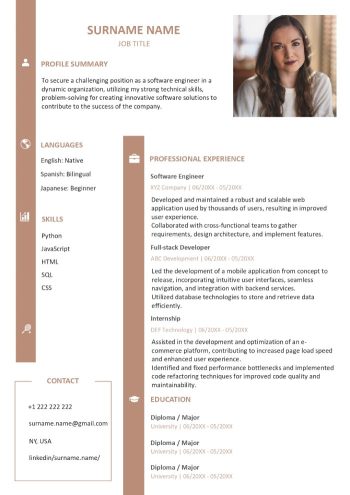
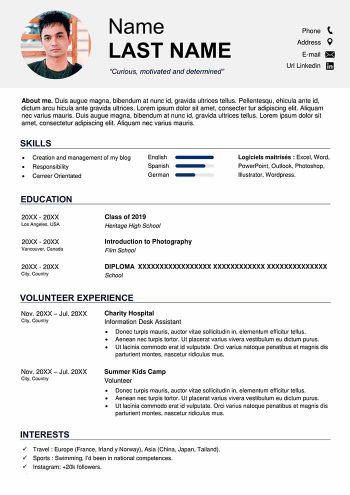
- Clean and Professional Layout: A clean and professional layout is the foundation of an effective CV. Our template organizes your information in a structured manner, making it easy for employers to scan your credentials.
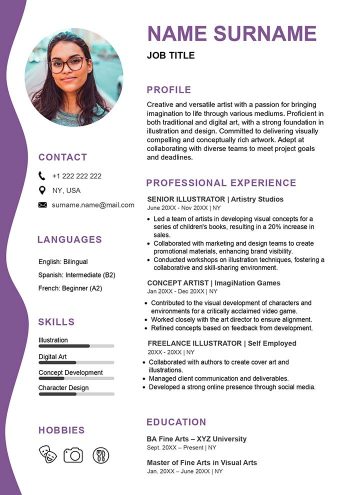
- Use of Colors and Fonts: Selecting appropriate colors and fonts can enhance the visual appeal of your CV. Stick to a professional color palette and use legible fonts to ensure your CV is easy to read.
- Incorporating Modern Trends: Modern design trends can give your CV a fresh and contemporary look. From minimalist styles to creative graphic elements, explore designs that align with your industry while showcasing your unique personality.
Read also: Resume Objective Examples for Job Seekers (How-To Guide)
Choosing the Right CV Design Format
The format of your CV is as important as its content. Tailoring your resume to your industry and personal preferences is crucial. Here’s what to consider:
- Chronological vs. Functional Formats: Decide whether a chronological or functional format best suits your career history. Chronological formats focus on your work history, while functional formats highlight your skills and achievements.
- Customization for Your Field: Different industries may require specific formats. Research the norms in your field and customize your CV design accordingly.
- One Page vs. Two Pages: Consider the length of your CV based on your experience. Entry-level candidates may opt for a one-page CV, while seasoned professionals can extend to two pages.
- Online Portfolio Integration: If applicable, think about integrating links to your online portfolio, showcasing additional work samples and achievements.
CV Design FAQs
What is the best design for a CV?
The best design for a CV is one that has a lot of white space and a clean layout. Our template offers exactly that and with a touch of creativity for an eye-catching effect. It also has all the sections that you need to exhibit for a more precise overall idea about who you are as a professional. Keep in mind the following as you edit your cv design template:
- Minimalist designs with ample white space create a sleek and contemporary look.
- Highlight key information without overwhelming the reader.
- Consider adding links to your portfolio or incorporating QR codes for easy access to additional information.
Do I have to learn design to have a good CV?
No, you really do not. Just download the one we have pre-designed for you in Word and make all the changes you want to. Unlike an online builder, you have the ultimate freedom to switch colors, change the font size or type, and add or remove sections. Total freedom looks good on everyone.